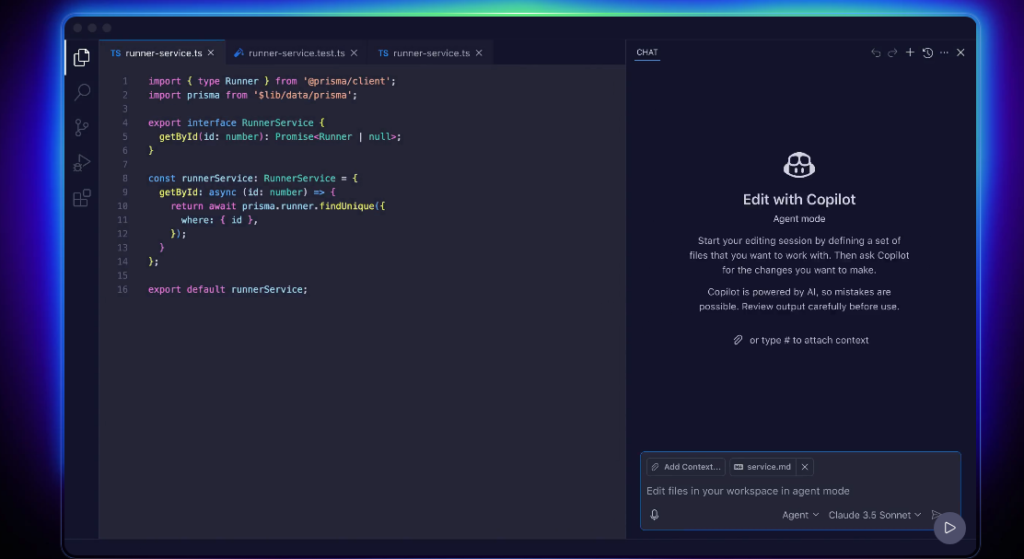
GitHub Copilot is an AI coding assistant built by GitHub and OpenAI. It helps developers write code faster by suggesting entire lines and functions in real time. Because it is trained on billions of lines of public code, it is the most widely used AI coding tool among professional developers today.
Key Features
GitHub Copilot offers a powerful set of coding tools for developers. For example, it suggests complete functions and code blocks as you type in your editor. In addition, it includes a chat feature that explains code, fixes bugs, and answers technical questions. Therefore, it speeds up development and reduces time spent on repetitive coding tasks.
Real-time code suggestions in your editor
Copilot Chat for code explanations and fixes
Supports all major programming languages
Works in VS Code, JetBrains, and Neovim
Pull request summaries and code reviews
CLI assistant for terminal commands
Free plan for individual developers
Pricing Plans
GitHub Copilot has a free plan with 2,000 code completions per month. However, the Pro plan at $10 per month gives unlimited completions and chat. Moreover, the Business plan at $19 per user per month adds team features and policy controls for organizations.
Who Uses GitHub Copilot?
GitHub Copilot works best for professional developers and engineering teams. For instance, solo developers use it to write boilerplate code and tests in seconds. Similarly, teams rely on it to speed up code reviews and pull request summaries. Students, on the other hand, use the free plan to learn new languages and frameworks fast. Therefore, it suits anyone who writes code on a daily basis.
How GitHub Copilot Compares
GitHub Copilot stands out for its deep integration with GitHub and VS Code. First, it has more users than any other AI coding tool on the market. Second, its pull request summaries and code review features are unique among coding assistants. However, Cursor offers a more powerful codebase-aware chat experience. You can explore more tools in our AI Tools Directory or compare it with Cursor for AI coding. For the latest updates, visit the official GitHub Copilot website.
Best For
GitHub Copilot suits professional developers, engineering teams, and students who need a reliable AI coding assistant built into their existing GitHub workflow.