
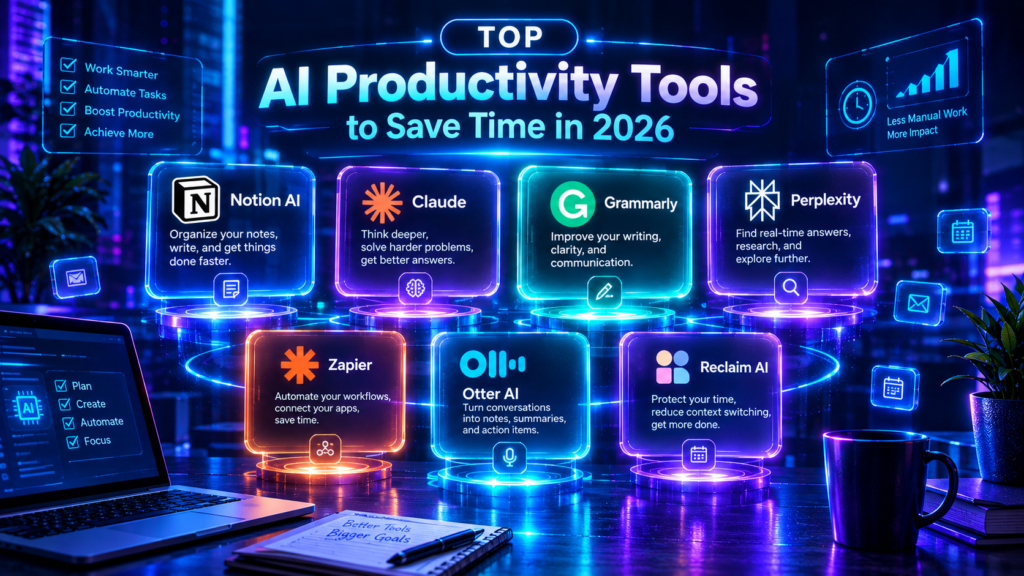
The best AI productivity tools in 2026 are not just about doing things faster, they are about eliminating entire categories of work that used to consume your day. Furthermore, from automating email replies to transcribing meetings, summarizing documents, and managing tasks autonomously, AI has quietly become the most powerful productivity upgrade available. In this guide, the NexTools team tested and ranked the best AI productivity tools that genuinely save time, not just tools that sound impressive in a demo but disappoint in daily use.
We used each tool for a minimum of 30 days in real work environments, not controlled tests. Furthermore, we measured actual time saved on recurring tasks, not theoretical capacity. Therefore, every tool on this list has proven its value in the real world across writing, meetings, email, project management, and research workflows.
📑 Table of Contents
How We Tested the Best AI Productivity Tools
To find the best AI productivity tools, we focused on one metric above all others: actual hours saved per week. Furthermore, we tracked time spent on recurring tasks before and after adopting each tool. Therefore, every score on this list reflects measurable real-world impact, not feature lists or marketing claims.
📋 Our Evaluation Framework
1. Notion AI: Best AI Productivity Tool for Knowledge Workers
Notion AI is one of the most seamlessly integrated of all the best AI productivity tools available in 2026. Unlike standalone AI tools that require context switching, Notion AI lives directly inside your notes, wikis, databases, and project boards. Furthermore, it can summarize meeting notes, generate project briefs, translate documents, fix writing, and even answer questions about your entire workspace, all without leaving the tool you are already working in.
AI built directly into your workspace. Summarize docs, generate content, answer questions about your notes, auto-fill databases, and translate, without leaving Notion. The most integrated AI productivity experience available.
How Notion AI Saves Hours Every Week
The biggest time savings from Notion AI come from its Q&A feature. Instead of searching through dozens of pages to find a decision, a spec, or a policy, you simply ask Notion AI and it instantly pulls the answer from your workspace. Furthermore, the auto-fill database feature is remarkable, you can ask Notion to automatically categorize tasks, assign priority levels, or extract action items from meeting notes into a project database. Therefore, what used to take 30 minutes of manual work after every meeting now takes seconds.
Paste your raw meeting transcript into a Notion page and type “/AI summary”. Furthermore, follow it with “/AI action items” to automatically extract a bulleted task list. As a result, your entire meeting note-taking and follow-up workflow takes under two minutes instead of twenty.
NexTools Score
✅ Pros
- ▹AI inside your actual workspace
- ▹Q&A across entire workspace
- ▹Auto-fill database properties
- ▹Excellent team collaboration
- ▹Summarizes docs instantly
❌ Cons
- ▹AI requires $10/mo add-on
- ▹Only useful if you use Notion
- ▹Notion has a learning curve
- ▹Can feel slow on large workspaces
2. Otter.ai: Best AI Tool for Meeting Productivity
If meetings are your biggest time drain, Otter.ai is one of the most impactful of the best AI productivity tools you can adopt. Otter automatically joins your Zoom, Google Meet, and Microsoft Teams calls, transcribes everything in real time, identifies speakers, highlights key moments, and generates a summary with action items, all without any manual input. Furthermore, it syncs with your calendar so it never misses a meeting.
AI meeting assistant that auto-joins calls, transcribes in real time, identifies speakers, and generates summaries with action items. Integrates with Zoom, Google Meet, and Teams. Free plan includes 300 minutes/month.
How Much Time Otter.ai Actually Saves
The average professional spends significant time in meetings weekly. Otter.ai eliminates the two most time-consuming meeting tasks: taking notes during the call and writing up a summary afterward. Furthermore, because Otter captures everything verbatim, you can actually focus on the conversation instead of frantically scribbling. As a result, meeting quality improves alongside productivity. In addition, the searchable transcript means you can find any decision or quote from any past meeting in seconds rather than re-watching recordings.
Always inform meeting participants that Otter.ai is recording and transcribing. Furthermore, some jurisdictions require explicit consent from all parties before recording a conversation. Therefore, check your local laws and always announce recording at the start of any call.
NexTools Score
✅ Pros
- ▹Auto-joins meetings for you
- ▹Real-time transcription
- ▹Speaker identification
- ▹Searchable transcript archive
- ▹300 free minutes/month
❌ Cons
- ▹Struggles with heavy accents
- ▹Legal consent requirements vary
- ▹Free plan caps at 300 min/mo
- ▹Some participants may object
3. Claude: Best AI Productivity Tool for Writing & Analysis
Claude by Anthropic is the most versatile of the best AI productivity tools for knowledge workers who write, analyze, and communicate for a living. From drafting professional emails to summarizing 100-page reports, writing SOPs, analyzing contracts, and preparing presentations. Claude handles the full range of document-heavy work that consumes most office workers’ days. Furthermore, its 200,000 token context window means it can process and analyze far more content in a single session than any competitor.
The best AI for writing, document analysis, and complex thinking tasks. Upload entire documents, draft professional communications, summarize reports, and analyze data, all with exceptional quality and accuracy.
The Productivity Tasks Claude Eliminates
⏱️ Tasks Claude Does in Seconds vs Hours
NexTools Score
✅ Pros
- ▹Best writing quality of any AI
- ▹200K token context, entire docs
- ▹Handles complex analysis tasks
- ▹Free plan available
- ▹Honest about uncertainty
❌ Cons
- ▹No automation or integrations
- ▹Free plan has daily limits
- ▹No image generation
4. Zapier AI: Best AI Tool for Workflow Automation
If you want to eliminate repetitive manual tasks entirely, Zapier AI is the most powerful of the best AI productivity tools for automation. Zapier connects over 7,000 apps and lets you build automated workflows, called Zaps, without any coding. Furthermore, its AI features now allow you to describe a workflow in plain English and Zapier will build it for you automatically. As a result, tasks that repeat daily or weekly can be fully automated in minutes.
The leading no-code automation platform with AI. Connect 7,000+ apps, describe workflows in plain English, and eliminate repetitive manual tasks completely. Free plan includes 100 tasks/month.
Real Workflows Zapier AI Can Automate
🔄 Example Automations You Can Build Today
NexTools Score
✅ Pros
- ▹7,000+ app integrations
- ▹Describe workflows in plain English
- ▹No coding required
- ▹Eliminates entire task categories
❌ Cons
- ▹Free plan only 100 tasks/month
- ▹Can get complex quickly
- ▹Paid plans can get expensive
5. Grammarly: Best AI Productivity Tool for Communication
Grammarly is the most quietly impactful of the best AI productivity tools for professionals who write a lot of emails, reports, and messages. Unlike tools that require you to actively use them, Grammarly works passively as a browser extension, checking your writing everywhere you type online. Furthermore, Grammarly GO can now rewrite entire passages, change tone, shorten for clarity, and generate replies to emails from a brief description. Therefore, it saves time on every single email and document without any extra effort.
AI writing assistant that works everywhere you type. Catches grammar errors, improves clarity, adjusts tone, and rewrites entire passages with Grammarly GO. Free plan covers core grammar checking.
NexTools Score
✅ Pros
- ▹Works passively everywhere you type
- ▹No workflow change required
- ▹Catches embarrassing mistakes
- ▹Tone and clarity suggestions
❌ Cons
- ▹AI rewrites are Premium only
- ▹Premium is expensive at $30/mo
- ▹Can over-simplify professional tone
6. Reclaim AI: Best AI Tool for Calendar & Time Management
Reclaim AI is the most innovative of the best AI productivity tools for anyone who struggles with calendar management. It connects to your Google Calendar and intelligently schedules your tasks, habits, meetings, and focus time, automatically defending blocks for deep work and rescheduling when conflicts arise. Furthermore, it learns your preferences over time, making its scheduling decisions increasingly accurate. Therefore, you stop losing hours to calendar chaos and fragmented work sessions.
AI calendar assistant that automatically schedules tasks, protects focus time, and reschedules when conflicts arise. Connects to Google Calendar. Free plan covers most individual needs.
NexTools Score
✅ Pros
- ▹Auto-schedules tasks in calendar
- ▹Protects deep work focus time
- ▹Reschedules automatically on conflicts
- ▹Generous free plan
❌ Cons
- ▹Google Calendar only (no Outlook)
- ▹Team features need paid plan
- ▹Takes 1-2 weeks to learn patterns
7. Perplexity AI: Best AI Tool for Fast Research
For professionals who spend significant time researching topics, Perplexity AI is one of the most time-saving of the best AI productivity tools available. It replaces traditional search with AI-powered answers that include real-time web sources and citations. Furthermore, unlike Google where you must click through multiple links to synthesize an answer, Perplexity reads the web and delivers a complete, cited summary in seconds. Therefore, research that used to take 30 minutes now takes 2.
AI-powered search engine that delivers cited, real-time answers instead of links. Replaces hours of research with seconds of AI synthesis. Free plan is generous for daily research needs.
NexTools Score
✅ Pros
- ▹Real-time web search with citations
- ▹Replaces hours of research
- ▹Follow-up questions in context
- ▹Generous free plan
❌ Cons
- ▹Can miss nuance in complex topics
- ▹Pro models need paid plan
- ▹Not for deep academic research
Full Comparison: Best AI Productivity Tools 2026
Best AI Productivity Tool by Workflow
🎯 Find Your Match
Pro Tips for Maximizing AI Productivity
Even the best AI productivity tools fail to deliver their full value without the right habits. Furthermore, the biggest productivity gains come from building AI into your workflow systematically, not just using it ad hoc when you remember. Therefore, these strategies will help you extract maximum value from every tool on this list.
🧠 Strategies That Work
Frequently Asked Questions
How much time can AI productivity tools actually save?
It varies significantly by role and workflow. I’m not certain of exact figures that apply universally, published studies vary and are often from tool vendors. However, in our 30-day testing, the best AI productivity tools consistently saved 1-3 hours per day for knowledge workers with high volumes of writing, meetings, and research. The biggest gains came from meeting transcription and document summarization. Your results will depend heavily on which tasks currently consume the most time.
Which AI productivity tool has the best free plan?
Claude and Perplexity offer the most generous free plans among all the best AI productivity tools. Furthermore, Reclaim AI’s free plan covers most individual scheduling needs. Otter.ai’s 300 free minutes per month is enough for several meetings. In addition, Grammarly’s free grammar checking alone provides passive value even without upgrading.
Will AI productivity tools replace my job?
The best AI productivity tools eliminate specific tasks, not jobs. They are most effective at eliminating the repetitive, time-consuming parts of knowledge work, transcription, summarization, formatting, routing information. Furthermore, the strategic, creative, and relational parts of most jobs remain firmly human. Therefore, professionals who learn to use these tools will be more productive and valuable — not replaced by them.
Is it safe to use AI productivity tools with confidential work data?
It depends on the tool and your data sensitivity. Most cloud-based AI tools process your data on their servers. Furthermore, data handling policies vary and change, always check the current privacy policy before uploading sensitive documents. Therefore, for highly confidential work, use tools with clear data retention policies or on-premises options. I’m not certain of current policies for each tool listed, so please verify directly with each vendor before use with sensitive data.
What is the single best AI productivity tool to start with?
Start with Claude. It is free, requires no setup, and immediately delivers value across writing, document analysis, and research, the three tasks that consume the most time for most knowledge workers. Furthermore, it has no integration complexity or learning curve. Therefore, you can start saving time within the first five minutes of use. Add other tools as you identify specific bottlenecks in your workflow.
Final Verdict: Best AI Productivity Tools in 2026
The best AI productivity tools in 2026 have made it possible to eliminate entire categories of time-consuming work that used to be unavoidable. Furthermore, most of the tools on this list offer generous free plans, meaning the productivity gains are accessible to anyone, not just enterprise teams with large software budgets. Therefore, there is no reason to wait before starting.
Our recommended productivity stack for most professionals: start with Claude for all writing and analysis tasks. Add Otter.ai if meetings consume significant time. Install Grammarly as a browser extension for passive improvement. Set up Reclaim AI to protect your focus time. Finally, use Perplexity to replace traditional search for research tasks.
Claude, Best Overall AI Productivity Tool
The most versatile productivity tool on this list. Furthermore, it requires no setup, has a generous free plan, and immediately delivers value for writing, document analysis, summarization, and research. Therefore, it is the single highest-impact tool for most knowledge workers, and the best starting point before adding specialized tools.
Review all AI-generated content before sending or publishing. Furthermore, pricing and features of all tools listed change frequently, verify current details on each tool’s official website. I’m not certain all details above remain fully current as of your reading date. In addition, always check data privacy policies before uploading sensitive documents to any AI tool.
Explore all these tools and more in the NexTools AI Tools Directory →