The best AI coding assistants in 2026 have fundamentally changed how developers write, debug, and ship code. Furthermore, what used to take hours of Stack Overflow diving and documentation reading now takes seconds. Whether you are a junior developer just starting out or a senior engineer looking to multiply your output, the right AI coding tool can double your productivity. In this guide, the NexTools team tested and ranked the best AI coding assistants available in 2026, across code completion, debugging, documentation, and full-stack development support.
We tested each tool across Python, JavaScript, TypeScript, Rust, and SQL. Furthermore, we evaluated real-world tasks: building REST APIs, debugging production errors, writing unit tests, and refactoring legacy code. Therefore, our scores reflect performance on actual developer workflows, not synthetic benchmarks.
📑 Table of Contents
How We Tested the Best AI Coding Assistants
Finding the best AI coding assistants requires more than running a few autocomplete tests. Furthermore, real-world developer workflows involve multiple interconnected tasks, writing new features, debugging errors, understanding unfamiliar codebases, and writing tests. Therefore, we designed a comprehensive evaluation framework covering six critical developer scenarios.
🧪 Our Testing Framework
1. GitHub Copilot: Best AI Coding Assistant for IDE Integration
GitHub Copilot remains the most widely adopted of all the best AI coding assistants, used by millions of developers worldwide. Powered by OpenAI’s models and trained on billions of lines of public code, Copilot integrates seamlessly into VS Code, JetBrains, Neovim, and virtually every major development environment. Furthermore, Copilot Workspace, launched in 2025, allows it to plan and implement entire features from a single natural language description.
The industry standard AI coding assistant. Deep IDE integration, inline code suggestions, multi-file context awareness, and Copilot Chat for debugging and explanation. Used by 2M+ developers.
What Makes Copilot the Industry Standard
Copilot’s biggest advantage among the best AI coding assistants is its deep contextual awareness. Unlike tools that only see your current file, Copilot Enterprise reads your entire repository, including your coding patterns, naming conventions, and project structure. Therefore, its suggestions feel native to your codebase rather than generic. Furthermore, Copilot Chat allows you to ask questions about your code, explain functions, generate tests, and fix bugs through a conversational interface directly in your IDE.
Write detailed comments before your function to get dramatically better Copilot suggestions. For example: // Fetch user by email, return null if not found, throw on DB error. Furthermore, Copilot reads your existing code patterns, so consistent naming conventions will significantly improve suggestion quality.
NexTools Score
✅ Pros
- ▹Best-in-class IDE integration
- ▹Reads entire repository context
- ▹Supports 70+ programming languages
- ▹Free for students and open source
- ▹Copilot Workspace for full features
❌ Cons
- ▹Paid for most developers ($10/mo)
- ▹Can suggest outdated patterns
- ▹Privacy concerns with code sharing
- ▹Enterprise features expensive
2. Claude: Best AI Coding Assistant for Complex Problem Solving
While GitHub Copilot excels at inline completions, Claude by Anthropic is the best AI coding assistant for tackling complex, multi-step programming challenges. Claude’s extraordinary reasoning capabilities and massive context window make it ideal for architectural discussions, complex algorithm design, thorough code reviews, and debugging hard-to-reproduce issues. Furthermore, Claude’s explanations are exceptionally clear, making it valuable not just for fixing code but for understanding why something went wrong.
The best AI for complex coding challenges, architecture discussions, and thorough code reviews. Upload entire codebases, get nuanced debugging explanations, and generate production-quality code with exceptional reasoning.
Claude’s Coding Superpowers
Claude’s 200,000 token context window means you can paste an entire codebase, thousands of lines, and ask it to find the bug, suggest refactors, or explain how the system works. Furthermore, Claude is significantly better than competitors at reasoning about code correctness, edge cases, and potential security vulnerabilities. As a result, developers commonly use Claude for security audits, performance optimization, and complex algorithm design where careful reasoning matters more than speed.
💻 Best Developer Use Cases for Claude
NexTools Score
✅ Pros
- ▹Best reasoning for complex problems
- ▹200K token context window
- ▹Exceptional code explanations
- ▹Catches security vulnerabilities
- ▹Free plan genuinely useful
❌ Cons
- ▹No inline IDE integration
- ▹Free plan usage limits
- ▹Copy-paste workflow vs inline
3. Cursor: Best AI-Native Code Editor
Cursor is not just a plugin, it is a complete VS Code fork rebuilt from the ground up around AI. Among all the best AI coding assistants, Cursor offers the most deeply integrated AI experience. Furthermore, it brings multi-file editing, codebase-aware chat, and autonomous bug-fixing into a single editor that feels natural for developers already familiar with VS Code. As a result, many developers who try Cursor never go back to standard IDE setups.
A VS Code fork rebuilt for AI-first development. Multi-file editing, codebase chat, autonomous bug fixes, and natural language code editing. The most cohesive AI development experience available.
Why Developers Are Switching to Cursor
Cursor’s Composer feature is its standout capability among the best AI coding assistants. You describe a feature in plain English, and Cursor autonomously edits multiple files across your project simultaneously, adding a new API endpoint, updating the database schema, writing the frontend component, and adding tests all in one go. Furthermore, Cursor uses Claude, GPT-4, and its own models under the hood, giving you access to the best AI for each task type. Therefore, it feels less like using a tool and more like pair programming with a senior developer.
NexTools Score
✅ Pros
- ▹Most integrated AI editing experience
- ▹Multi-file autonomous editing
- ▹Works with all VS Code extensions
- ▹Choose your AI model (Claude, GPT-4)
- ▹Understands entire codebase
❌ Cons
- ▹Requires switching from your current IDE
- ▹$20/mo for full Pro features
- ▹Privacy concerns for proprietary code
- ▹Can make too many changes at once
4. ChatGPT: Best Free AI Coding Assistant for Beginners
For developers just starting out or those who need a versatile, accessible coding assistant without a subscription, ChatGPT is one of the most practical best AI coding assistants available. The free GPT-4o model handles most coding tasks impressively well, from explaining programming concepts to generating complete application scaffolds. Furthermore, the Advanced Data Analysis feature lets you upload CSV files, run Python code, and generate visualizations directly in the chat.
The most accessible AI coding tool. Free GPT-4o handles code generation, debugging, and explanation across all languages. Advanced Data Analysis runs Python code directly in the browser.
NexTools Score
✅ Pros
- ▹GPT-4o free, very capable
- ▹Runs Python code directly
- ▹Best for learning & explanation
- ▹Supports all programming languages
❌ Cons
- ▹No IDE integration
- ▹Context window smaller than Claude
- ▹Can confidently produce wrong code
5. Tabnine: Best AI Coding Assistant for Privacy-Focused Teams
For enterprises and developers who cannot share proprietary code with external AI services, Tabnine is the most trusted of the best AI coding assistants. Tabnine can run entirely on-premises, meaning your code never leaves your infrastructure. Furthermore, it can be trained on your own codebase to generate suggestions that match your team’s specific patterns, conventions, and architecture.
The privacy-first AI coding assistant. Runs on-premises, never sends your code to external servers, and can be trained on your own codebase. Ideal for enterprises with strict data policies.
NexTools Score
✅ Pros
- ▹Runs 100% on-premises option
- ▹Trains on your own codebase
- ▹SOC 2 Type II certified
- ▹Suggestions match your team style
❌ Cons
- ▹Quality below Copilot on complex code
- ▹Best features are enterprise-only
- ▹No conversational AI chat feature
6. Codeium: Best Completely Free AI Coding Assistant
Codeium is the most generous free option among all the best AI coding assistants. It offers unlimited code completions, AI chat, and search, completely free, forever, for individual developers. Furthermore, it supports over 70 programming languages and integrates with VS Code, JetBrains, Vim, Emacs, and more. Therefore, if you want Copilot-like functionality without a subscription, Codeium is the answer.
The best free Copilot alternative. Unlimited completions, AI chat, and codebase search, free forever for individuals. Supports 70+ languages and all major IDEs.
NexTools Score
✅ Pros
- ▹Unlimited completions, 100% free
- ▹Works in VS Code, JetBrains, Vim
- ▹AI chat included for free
- ▹Fast and lightweight
❌ Cons
- ▹Not as accurate as Copilot
- ▹Less context awareness
- ▹Smaller community than Copilot
Full Comparison: Best AI Coding Assistants 2026
Best AI Coding Assistant by Use Case
🎯 Quick Matchmaking Guide
Pro Prompting Tips for Developers
Even the best AI coding assistants produce poor results with vague prompts. These developer-specific strategies will dramatically improve the quality of AI-generated code.
🧠 Developer Prompting Strategies
Frequently Asked Questions
Will AI coding assistants replace developers?
No! at least not in the foreseeable future. The best AI coding assistants excel at generating boilerplate, suggesting completions, and explaining code, but they consistently struggle with understanding business requirements, making architectural decisions, debugging complex distributed systems, and ensuring code meets security and compliance standards. Furthermore, they require a developer to review, test, and integrate their output. Therefore, AI coding tools are productivity multipliers, not replacements.
Is it safe to use AI coding assistants with proprietary code?
It depends on the tool and your use case. GitHub Copilot and Cursor send your code to their servers by default, you should check their current data retention policies before using them with sensitive proprietary code. Furthermore, Tabnine offers a fully on-premises option that never sends code externally. Therefore, for regulated industries (finance, healthcare, defense), Tabnine or self-hosted Stable Code models are safer choices. I’d recommend verifying current policies directly with each vendor, these change frequently.
Which AI coding assistant is best for Python?
For Python development, we recommend pairing GitHub Copilot for inline completions with Claude for complex problem solving. Furthermore, ChatGPT’s ability to execute Python code directly in the browser makes it excellent for data science and scripting tasks. Therefore, the best Python stack combines IDE-level completion with a conversational tool for harder problems.
Can AI coding assistants write production-ready code?
Sometimes, but always with human review. The best AI coding assistants regularly produce code that works correctly for happy-path scenarios but misses edge cases, error handling, or security considerations. Furthermore, AI-generated code may introduce subtle bugs that pass basic testing but fail under production load. Therefore, treat all AI-generated code as a first draft that requires the same careful review you would apply to a junior developer’s pull request.
How much do AI coding assistants actually speed up development?
I’m not certain of exact figures, published studies vary widely and are often conducted by the tool vendors themselves. However, developer surveys consistently report meaningful productivity gains for repetitive tasks like boilerplate generation, unit test writing, and documentation. Meanwhile, complex architectural work and debugging see smaller benefits. A conservative estimate would be 20-40% faster on tasks the AI handles well, with diminishing returns on complex reasoning-heavy work. Your results will vary significantly based on your domain and workflow.
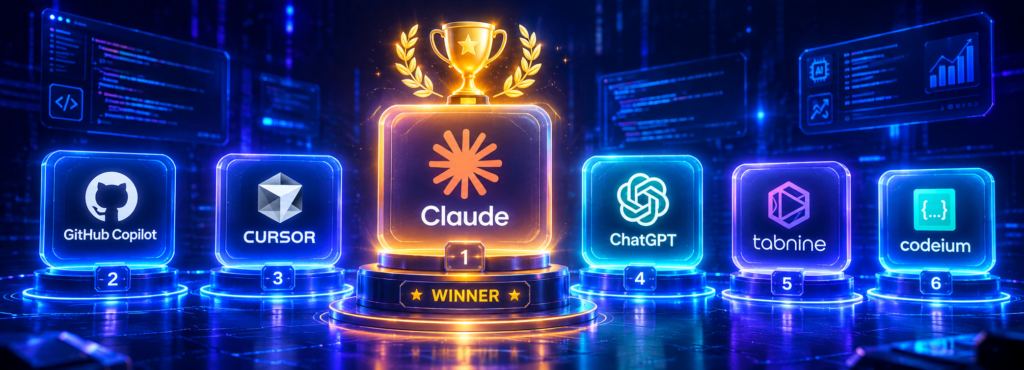
Final Verdict: Best AI Coding Assistants in 2026
The best AI coding assistants in 2026 have moved well beyond autocomplete. Furthermore, they can now plan features, generate entire modules, debug production issues, write test suites, and explain unfamiliar codebases. Therefore, not using at least one of these tools is leaving significant productivity on the table.
Our recommended developer setup: use GitHub Copilot or Codeium for daily inline completions in your IDE. Add Claude for complex debugging, code reviews, and architectural discussions. Furthermore, if you are ready for an AI-native editor, Cursor is the most transformative single investment you can make in your development workflow.
Claude: Best for Complex Coding Problems
The most capable AI for reasoning about complex code. Furthermore, its massive context window, exceptional debugging explanations, and free plan make it the highest-value coding assistant for serious developers. Therefore, even developers who use Copilot daily should have Claude open for the hard problems.
Never commit AI-generated code to production without thorough review. Furthermore, pricing and features of all tools listed change frequently, verify current details on each tool’s official website. I’m not certain all details above remain current as of your reading date.
Explore all these tools and hundreds more in the NexTools AI Tools Directory →