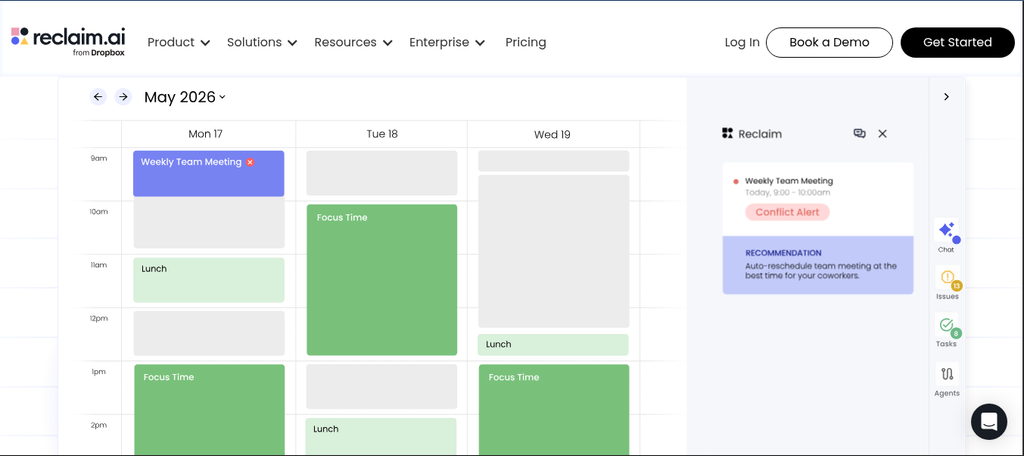
Reclaim AI is a smart calendar and time management application that automatically allocates time for your tasks, habits, and meetings, while adjusting your schedule as priorities shift. By doing so, it helps professionals create better schedules and reduces the need for manual planning.
Key Features
Reclaim combines AI-powered task scheduling with automated time management; it automatically schedules tasks around your existing commitments while protecting recurring habits and routines on your calendar. It identifies optimal times for meetings and appointments and creates flexible blocks for deep, focused work. Furthermore, the tool automatically reschedules tasks when plans change and provides scheduling links to streamline meeting coordination, making it the ideal choice for professionals who want their calendars to manage themselves.
Pricing Plans
Reclaim offers plans tailored to both individuals and growing teams; the free option provides essential scheduling features, while paid plans unlock more advanced scheduling capabilities. Additionally, team plans include features for collaboration and management. Pricing depends on your specific scheduling requirements and team needs, so it is recommended to consult Reclaim’s official pricing page for details on current plans.
Who Uses Reclaim AI?
Reclaim is well-suited for professionals, freelancers, managers, and busy teams; for instance, freelancers can automatically allocate time for important projects, while managers can balance meetings with deep-focus work. Although users with simple schedules may not require these advanced scheduling features, busy professionals can save a significant amount of time on planning. Consequently, Reclaim is an ideal choice for individuals managing multiple, competing priorities.
How Reclaim AI Compares
Reclaim competes with Motion, Sunsama, Notion, and other productivity tools. First, Reclaim focuses heavily on automated calendar management. Meanwhile, Motion combines scheduling with broader project management features. Notion provides flexible workspaces for notes, databases, and team collaboration. However, Reclaim specializes in protecting time automatically. Furthermore, its scheduling system adapts when your calendar changes. Therefore, it suits users who want less manual calendar planning. Explore our full directory for more productivity tools. You can also explore our AI productivity collection. For updates, visit Reclaim AI.
Best For
Reclaim AI is the ideal tool for professionals with busy schedules; it automatically allocates time for tasks, habits, meetings, and deep-work sessions, while also adjusting schedules as priorities shift. Consequently, it is perfect for those seeking smarter calendar management.